
Exante - Import
Step 2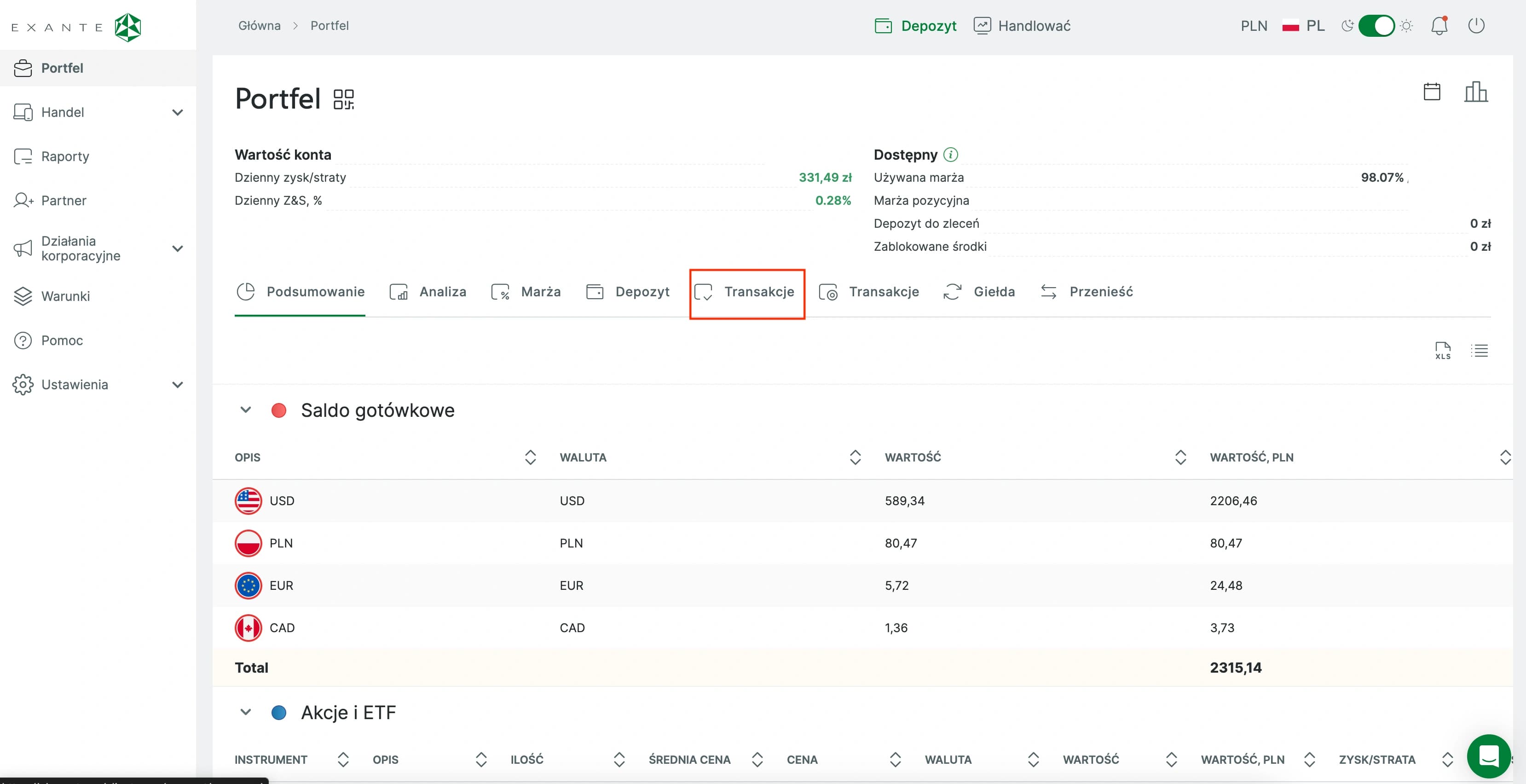
Wallet Transactions
Open Wallet and go to the Transactions tab.
Step 3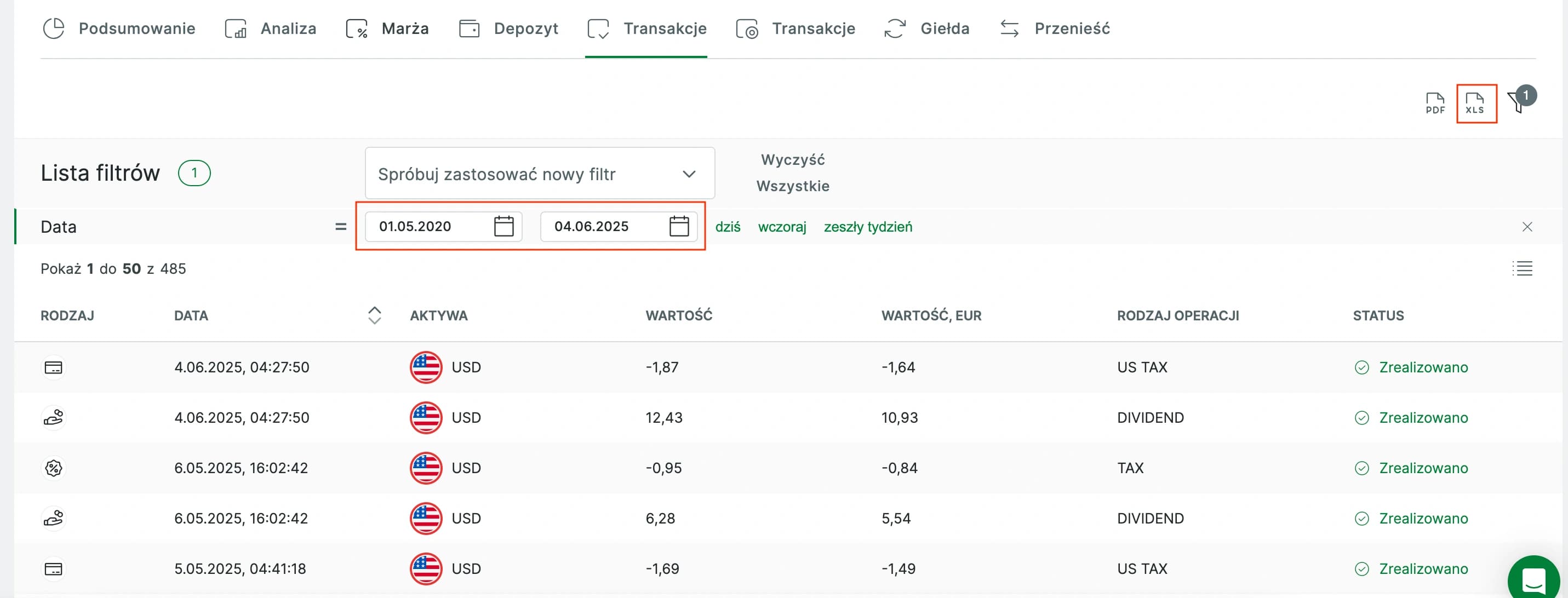
Range & Export
Select the desired date range and export the report as XLS.
Step 4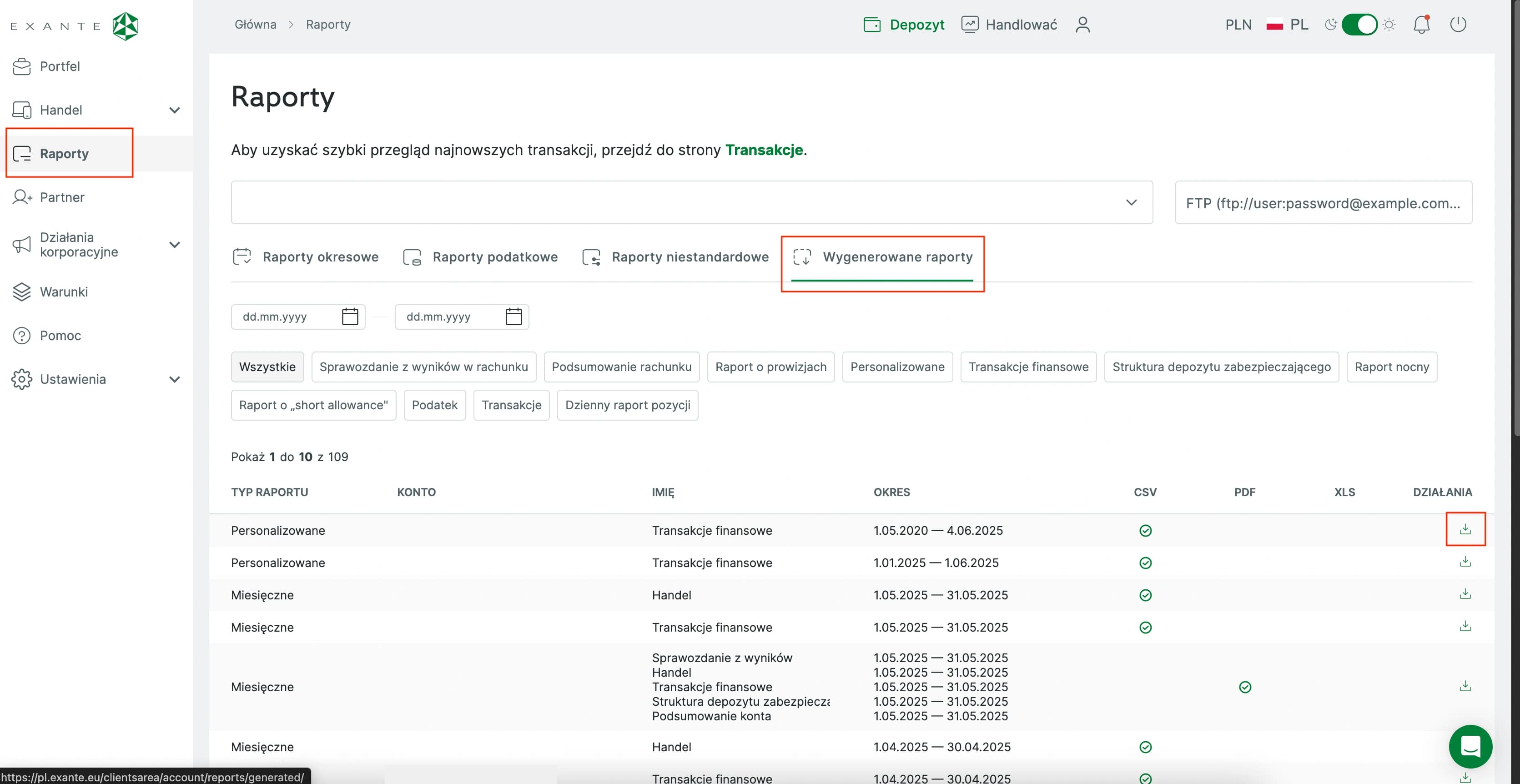
Download Report
Go to Reports > Generated Reports and download the latest file.
Step 5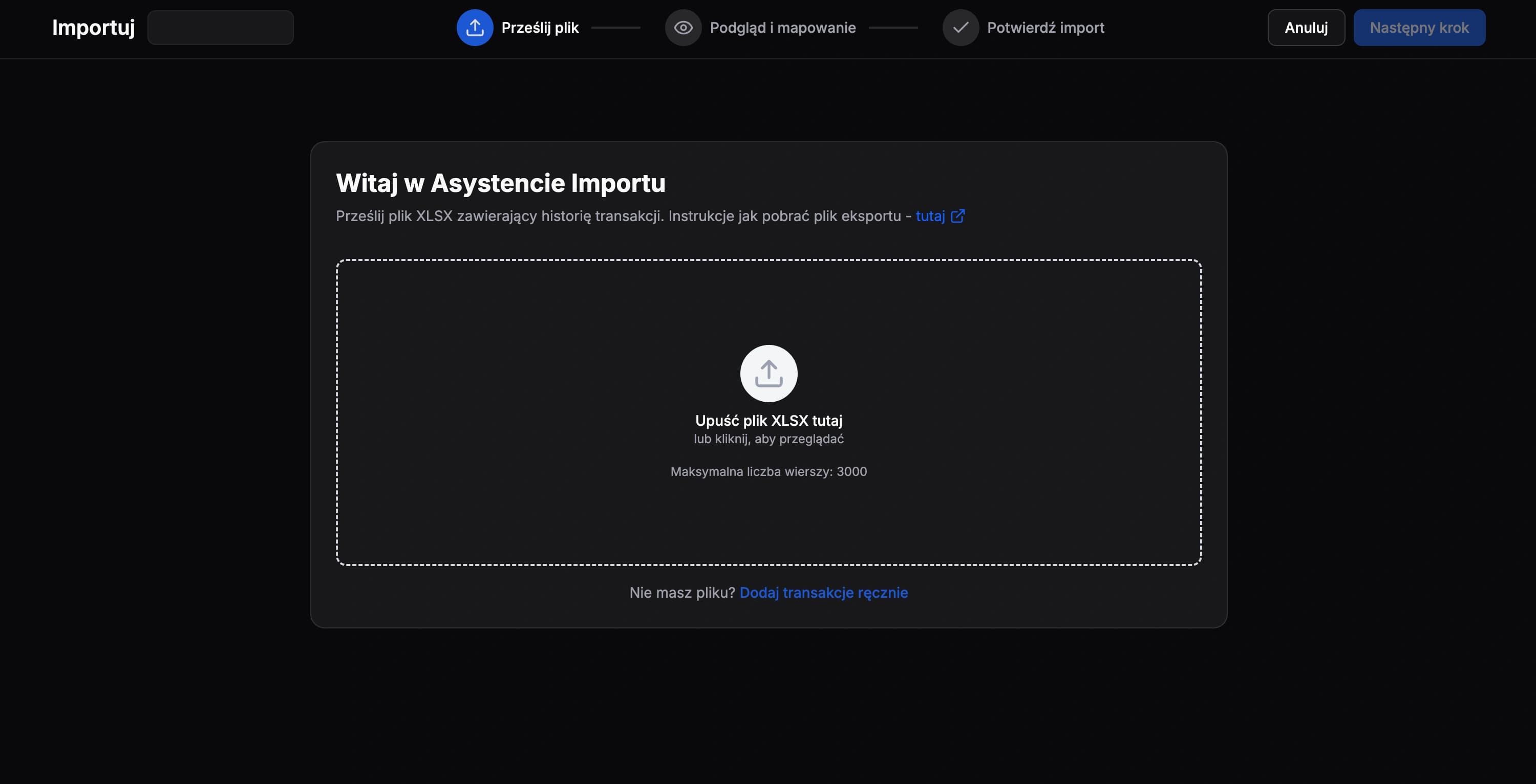
Import File
Upload the unmodified file to FundStat and proceed further.
Need Help?
If you encounter any issues during the import process or have questions about using FundStat, don't hesitate to reach out to our support team.
Contact us:admin@fundstat.pl